Flashcards: Take 3
Flashcards, my poor, sweet side project, has been mistreated for far too long. It’s time to rectify this crime.
This project has been ignored for close to a year while I worked on my PhD and some PhD related side projects. Whilst doing these side projects I’ve learnt alot more about GTK and GLib, and when I decided to return to Flashcards I realised… the code is not great. It’s definitely not in a position that I want to share it. I tried to modernise it, but there’s also been alot of huge changes in GTK+Python, and whilst trying to update the code I realised I was going to be fighting an impossible battle.
This can only mean one thing. I need to start from scratch, with my old code and interface designs as a guide, and make a modern and well designed app that I’m more happy sharing. Lets get started rewriting this mess from scratch…
Preface
As I previously described in an old blog post, the design behind Flashcards is based around the concept of “Decks”. The user creates as many Decks as they like, and each Deck contains a set of cards. The previous implimentation required each card be a simple collection of strings: A “Front”, a “Back”, and an optional “hint”. The user then selects a Deck, can review or edit the cards in the Deck, or begin revising the cards in the Deck.
For the sake of this sprint/hackathon thing, I plan to stick to that but I want to make it a little more future proof. Specifically, in the future I will likely need to render each component of the card to a webkit widget to allow complex text rendering, like LaTeX snippets and furigana (which were all goals I wanted in the previous version).
The hurdle the last version reached was my desire to port to GTK4 being blocked by LibHandy. My goal was to use GTK4’s transitions or possibly shaders to have a sort of “card flip” animation to really drive home the metaphor, but I’ll need to look down the line (when LibHandy has a port) if this is practical, aesthetically pleasing, or even possible with webkit. For now, as I’m sticking to just rendering plain text a stack like was used previously will work for now, but this will need to be replaced. However, I will need to design and implement a more “advanced” card editor at some point, and edit the SQLite database to work with these more complex card types (i.e. an extra column to specify the card types: simple, LaTeX, furigana, code, etc).
Day 1
I’m going to continue to use Python for this project. Partly because it’s what I’m the most experienced in, mostly because it’ll let me do this rewrite fast. Python really does spoil you as a developer, because whenever I use a compiled language now waiting for the project to compile after every change feels like an eternity.
A large chunk of my time was dedicated to learning the new features of LibHandy and deciding if they were worth using. Initially I planned to avoid HdyHeaderBar as the benefit did not seem worth it for my project, but it seems that HdyWindow prefers to have HdyHeaderBar, so I’ll use it.
The absolute greatest change LibHandy gives (which I believe GTK will in the future also provide) is the fact that the HeaderBar is now part of the content. Now I no longer need to manage multiple separate widgets interacting with each-other just to have a dynamic HeaderBar interacting with the content. This genuinely is a godsend. This nearly halves the number of files and widgets my application needs and I’m really excited to use it. Now, the window just contains 1 stack and the widgets are added to the stack. It also means managing the HdyLeaflet, which previously was a headache to coordinate, should be significantly simpler as all parts of the leaflet can be part of 1 simple widget and 1 UI file. I’m also assuming that because the header is part of the content, it’ll also be much easier as you don’t need to add the header, content, and separator individually.
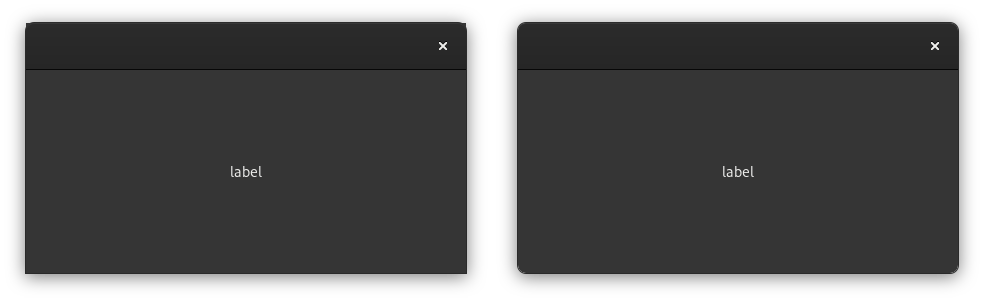
I started late, but admittedly I’m a little frustrated by LibHandy. So far all I’ve managed to get is a HdyApplicationWindow and a box, with a HdyHeaderBar, a GtkLabel, and poor clipping…
However, I refuse to give up. The case for HdyWindow is just too damn appealing.
Day 2
Coffee in hand, time to make the HdyWindow work. Maybe.
One large coffee and some reading later, turns out LibHandy wants you to call Handy.init() somewhere in your application (I’m assuming before you initialise any templates), and suddenly all the rendering artefacts are done and you’re left with a lovely functioning window with no clipping issues and working titlebar dragging. Hooray.
Now that hurdle has been overcome, time to start porting sections of the code over. A major change in LibHandy that I have to work around is the removal of HdyDialog. I couldn’t find why it had been removed, but in all honesty Flashcards didn’t use any complex dialogs anyway, so I’ll simply stick to regular HdyWindows that are small enough to work on small form factors. Another thing I learnt to love since I last worked on Flashcards is Gio.Actions and ActionGroups, which are a much more intuitive way of managing interfaces and communication between widgets. Now, I can create an action for a specific widget, and invoke that action from anywhere in the application. I can also assign buttons to simple activate that action, rather than defining a function and callback for each button interaction.
I re-implimented the new deck dialog as a HdyWindow, created an action group for it, and began creating actions for the simple functions of the window. The window now hides on its own when attempting to close it, and the cancel button simply clears the input box and hides the widget. The overall code is significantly cleaner, and I no longer need to have so many variables containing each widget I need to interact with. The new dialog only needs access to 1 template child, the entry.
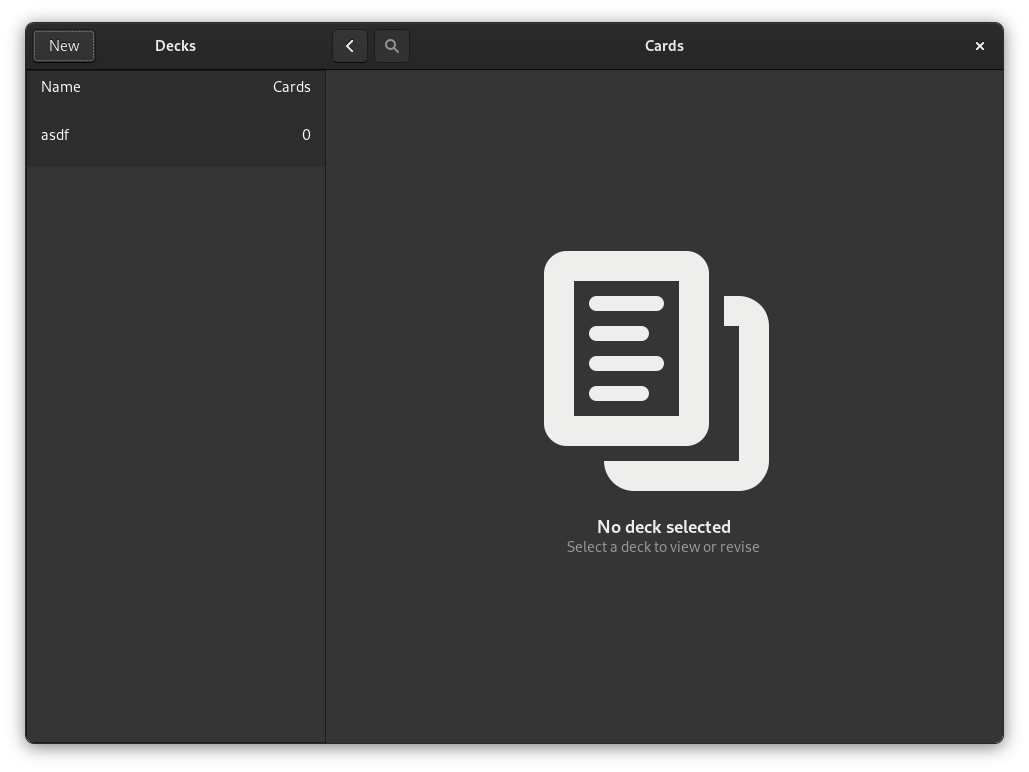
By the end of day 2, I have ported the database managing functions (basically wholecloth), reimplimented the creation of new Decks, and reimplimented the deck list. I’ve also started reimplimenting the card list view, but there’s much more work to be done. I decided I wanted to continue using the HdyLeaflet for the Deck view and the Card view so they would be side-by-side on large screens, and stacking on small screens. As I mentioned a while back, now the content and the header are in 1 place this is much simpler.
I had a small issue with both children in the leaflet being the same width. This was because both had at least 1 widget that wanted to horizontally expand, do all hexpands needed to be removed from the deck list (which only needs to be small anyways as it is just a list). Properly using the Gtk.Box child properties (specifically, pack start and end) meant this was quickly fixed. I quickly added both headerbars to a Hdy.HeaderGroup, and now I have working card-Deck leaflet.
Something I noticed during this exercise, not LibHandy 1 is released there’s much more up-to-date documentation. Using https://lazka.github.io/pgi-docs/ you can view Handy 1’s classes. Previously there was a sometimes out of date Handy 0.0 docs with some missing classes. Now there’s a (currently) pretty up-to-date place to view all the clases and functions. I really hope it stays this consistent.
Day 3
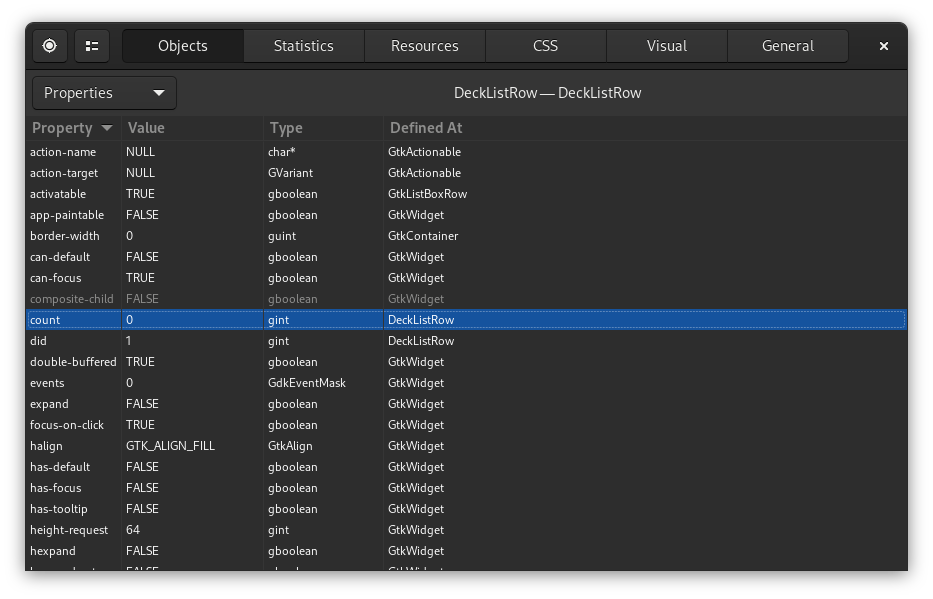
Since I last worked on Flashcards, I had a look through the source code for GNOME Music. One of the coolest things I learnt about from their code was the existence of the @GObject.property decorator. Just like you’d use the @property and @x.setter decorators to create getter/setters, GObject.property allows you to use these setters from inside GTK Inspector. With very minor changes, some variables in Flashcards can now be tinkered with in the inspector.
Today, I replaced database.py with a new file creatively named database2.py. The interface is the same, but most of the functions are gone. I’ve reimported the necessary functions and written new, more sensible functions in the place of some old ones. The old file just had a daunting number of functions, most of which I can’t remember why they existed or were just… weird.
I’ve also continued actionifying all the things. One issue I have with using actions is that I often find myself wanting to activate an action freely, in code. For example, I might want some function to emit an action to update the list of decks. I’ve yet to find a proper solution, but in every case so far I’ve not needed to do it in code. Instead, the widget I’m trying to give an action to has implimented Gtk.Actionable. This means I simply assign the GtkActionable the action mane and I can edit the action-target (basically parameters) in code. An example is the DeckList. Each item in the deck list should emit a “select-deck” signal with the deckid as a parameter. I can assign the deckid target in the did setter, and I can easily assign the action name, and now it does exactly what I want with significantly cleaner code.
My goal today is to get the CardList working correctly, even if you can’t add complex cards.
The CardList has the potential to become a really monolithic file. I may try to break the card editor into it’s own widget. This will be expecially important when I later implement more card types, as having multiple card editor UIs AND the card list AND the card search AND all the stacks that manage showing/hiding the correct areas in 1 file could turn this 1 component into an absolutely gigantic file. The previous implementation with it’s extremely basic editor already reached 250+ lines. When I re-impliment the card editor, this will need to be corrected.
Whenever I venture into a new area, such as implementing a more complex card editor, trying to picture an intuitive design is easily the hardest part. I can implement it, but chosing what I’m implementing is the hardest. For example, should the editor change depending on the card type? Do I want to render the results as the user enters them? Can I do that? I’ve edited the design to include a combo box to allow the user to select the card type. The options available are simple, Furigana, and Latex. However, I think for the time being I will hide the combo box and just assume the card is “simple”. I can come back to the others later, but for the initial reimplementation, simple will do. However, I think the idea of live rendering the result could be fun! I’ll need to do more reading into converting LaTeX snippets and Furigana into an image or webpage down the line. I imagine I could create an image to render these, and use it both in the editor (as a preview) and in the revise view.
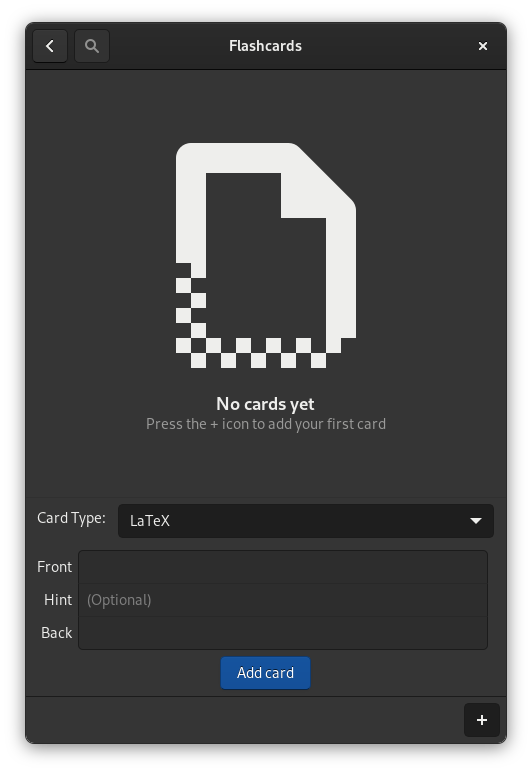
I end the day with a basic implementation of the editor. It can add cards, but the deck list doesn’t update and the card list doesn’t yet exist. The deck list update shouldn’t be hard, the simplest answer would just be to refresh the entire list; however this could lead to performance issues further down the line if someone had thousands of cards, as each refresh needs to count the cards in each deck. The card list shouldn’t be too hard to implement, but implementing it cleanly will be a new challenge.
This is the end of this mini sprint/weekend of free time lost. I hope this is in a state where the next time I come back it’s fairly obvious what was happening. There’s some hacky things involved atm that I’m not proud of and want corrected. For example, the database object still needs to be passed to all widgets that need it in their constructor. And setting the database ID is being done by just changing the object’s did variable in the CardView’s code. Bad bad bad. Future me better fix that.